Read the overview page of each service
Tell account-wide figures apart from per-domain ones, read the date range correctly, and understand why every number might be zero.
Each service has its own overview page. They look alike but answer two different questions — read the wrong one and you draw the wrong conclusion about the whole system.
Before you start
- The service has at least one activated domain
Two tiers of numbers, never mix them
The Email API and Email Relay overview pages split into two tiers, labelled on screen.
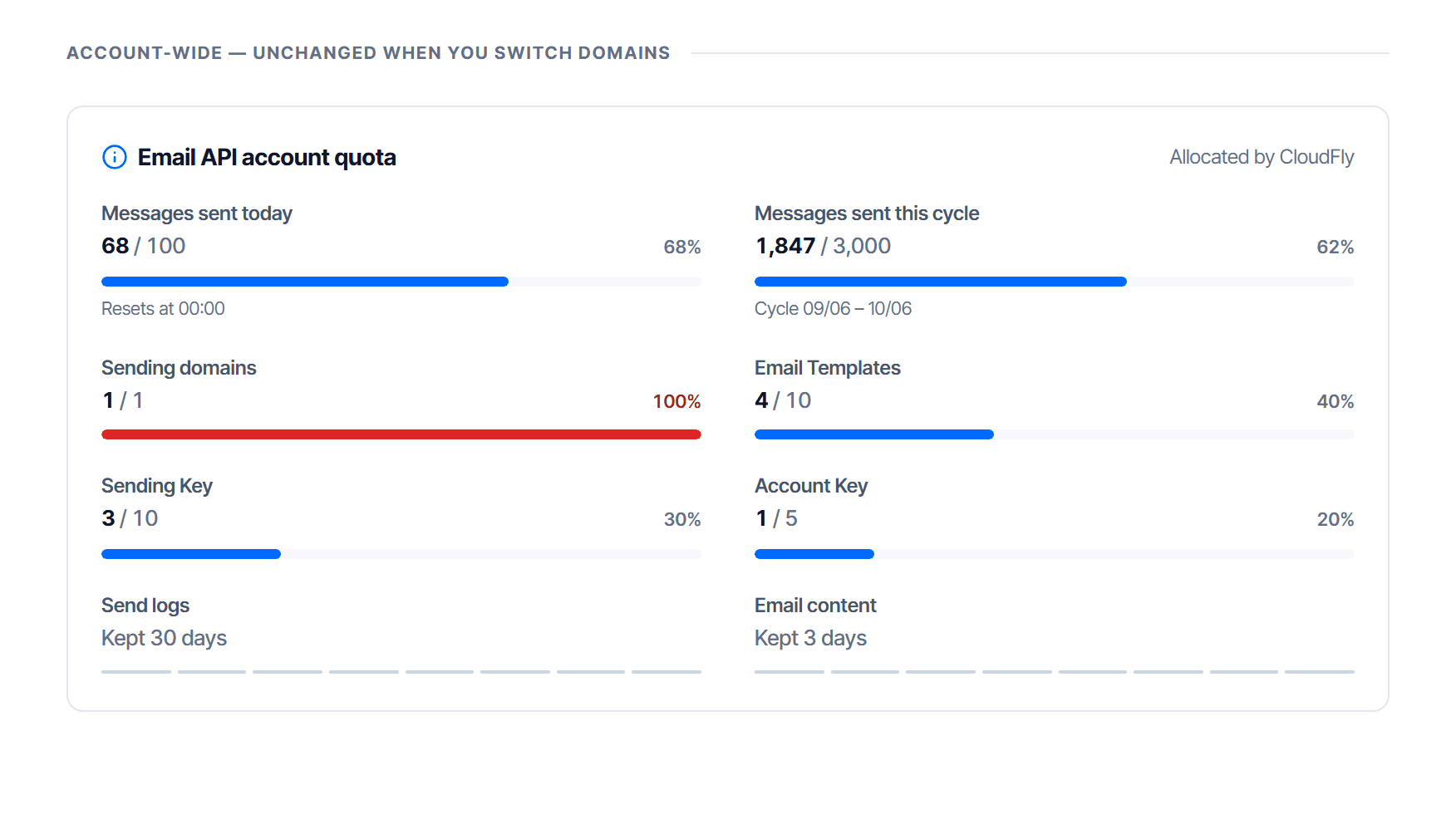
| Tier | Label on screen | Changes when you switch domain |
|---|---|---|
| Account | account-wide — does not change when switching domains | no |
| Domain | the figures below are for this domain only | yes |
The four performance figures
The four cards in the domain tier of the overview page:
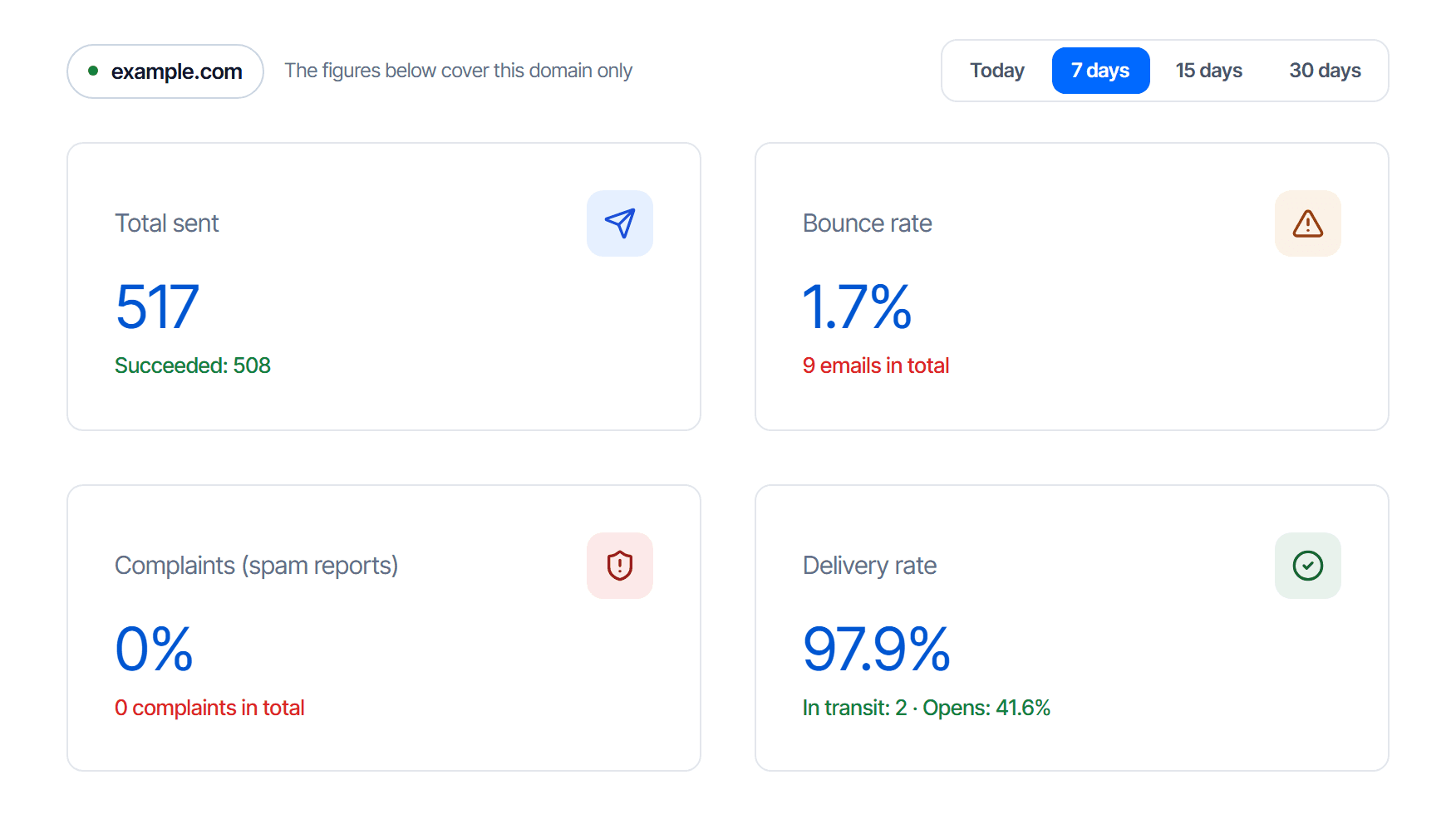
| Figure | Reads as | Threshold worth watching |
|---|---|---|
| Total sent | messages the system accepted | — |
| Bounce rate | messages the receiver refused | above 5% needs action |
| Complaints (spam reports) | recipients who pressed report-spam | above 0.1% is already high |
| Delivery rate | messages that reached the recipient | below 95% is worth investigating |
The date range changes everything below it
The today · 7 · 15 · 30 days selector only affects the domain tier; the account tier does not follow it.
Stats & logs: the same data, up close
The Stats & logs menu of Email API and Email Relay is the second screen with numbers on it; it does not replace the overview page. It opens on the Statistics tab, with the per-message table on the Logs tab — the switch is at the top right of the heading.
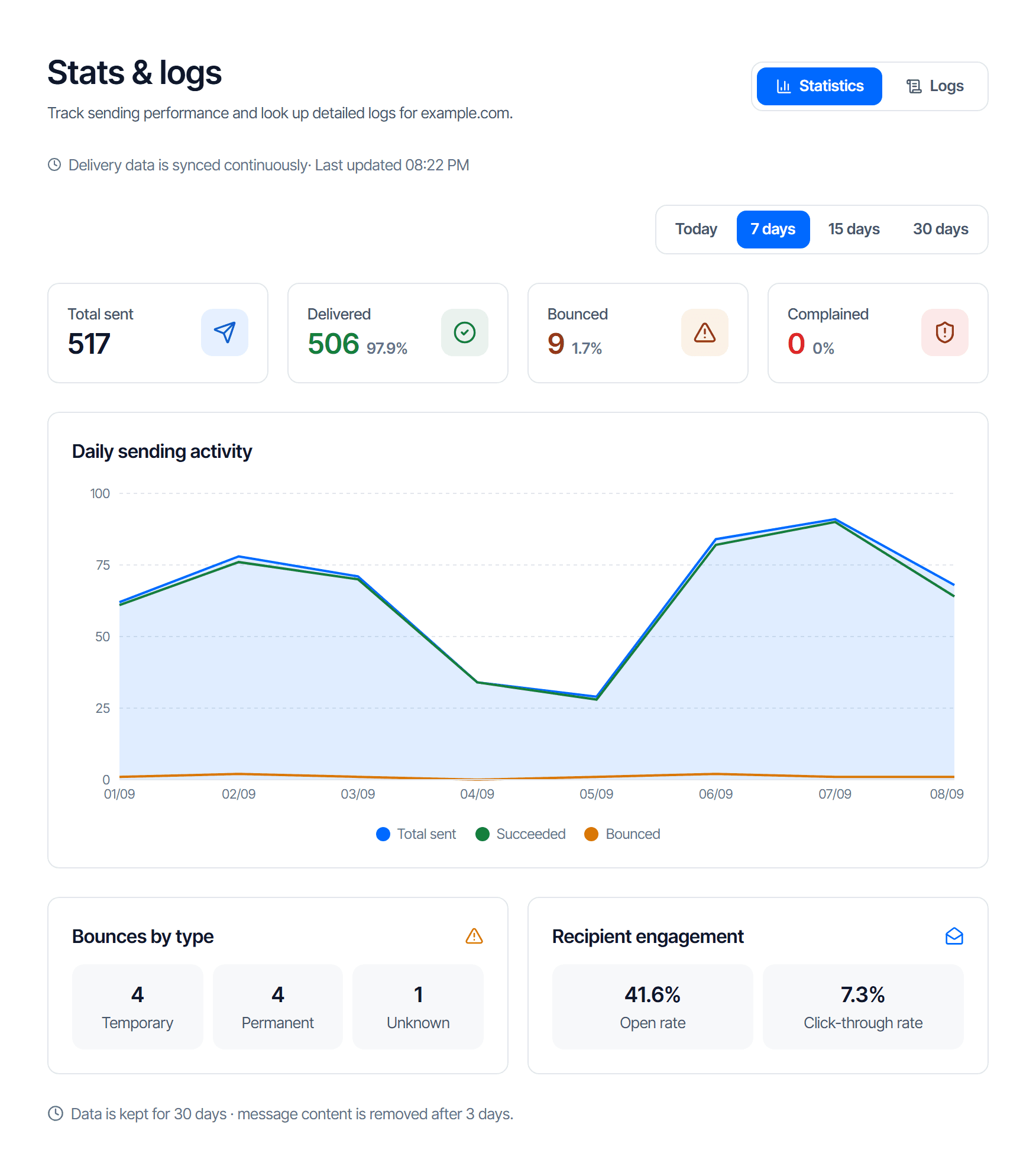
Two blocks exist only on the Statistics tab:
| Block | Cells | Reads as |
|---|---|---|
| Bounces by type | Temporary · Permanent · Unknown | Permanent means the address does not exist — take it off your list. Temporary is a full mailbox or a busy receiver, and a later attempt still has a chance |
| Recipient engagement (Email API only) | Open rate · Click-through rate | estimates — a receiving mail scanner can trigger them by itself, so read the trend rather than any single figure |
When every number is zero
Before suspecting anything, read the banner at the top of the statistics block. If the domain has not finished verification, the screen says it outright:
The domain has not been activated for relay. Domain … has not completed verification so it cannot send yet — which is why every figure below is zero.
That is the answer, not a display fault. Click Configure DNS now and finish per Publish the relay sending domain records.
Three other causes of "everything is zero":
- The selected domain is not the one you actually send from — change it in the domain picker
- The range is too short, for example today early in the morning
- Your application is still sending the old way, not through CloudFly. See Troubleshoot Email Relay
The Email Security overview reads differently
Check your work
You are reading correctly when you can answer four questions and say where each answer comes from:
- How many more messages can the account send this cycle? — account tier of the overview page
- What is this domain's delivery rate, and over what period? — domain tier
- Is that zero "nothing sent" or "not activated"? — the banner
- Did one specific message arrive? — the Logs tab, not the summary cards