Troubleshoot Email Relay
Go from symptom to cause in order, for failures to connect, rejected authentication, and mail that sends but never arrives.
Every table starts from the symptom you see. Upper rows are more common than lower ones, so read down and stop at the first row that matches.
First: is your software actually going through the relay
Answer this before anything else.
Open Email Relay → Stats & logs, switch to the Logs tab, and look for the row matching the message you just sent.
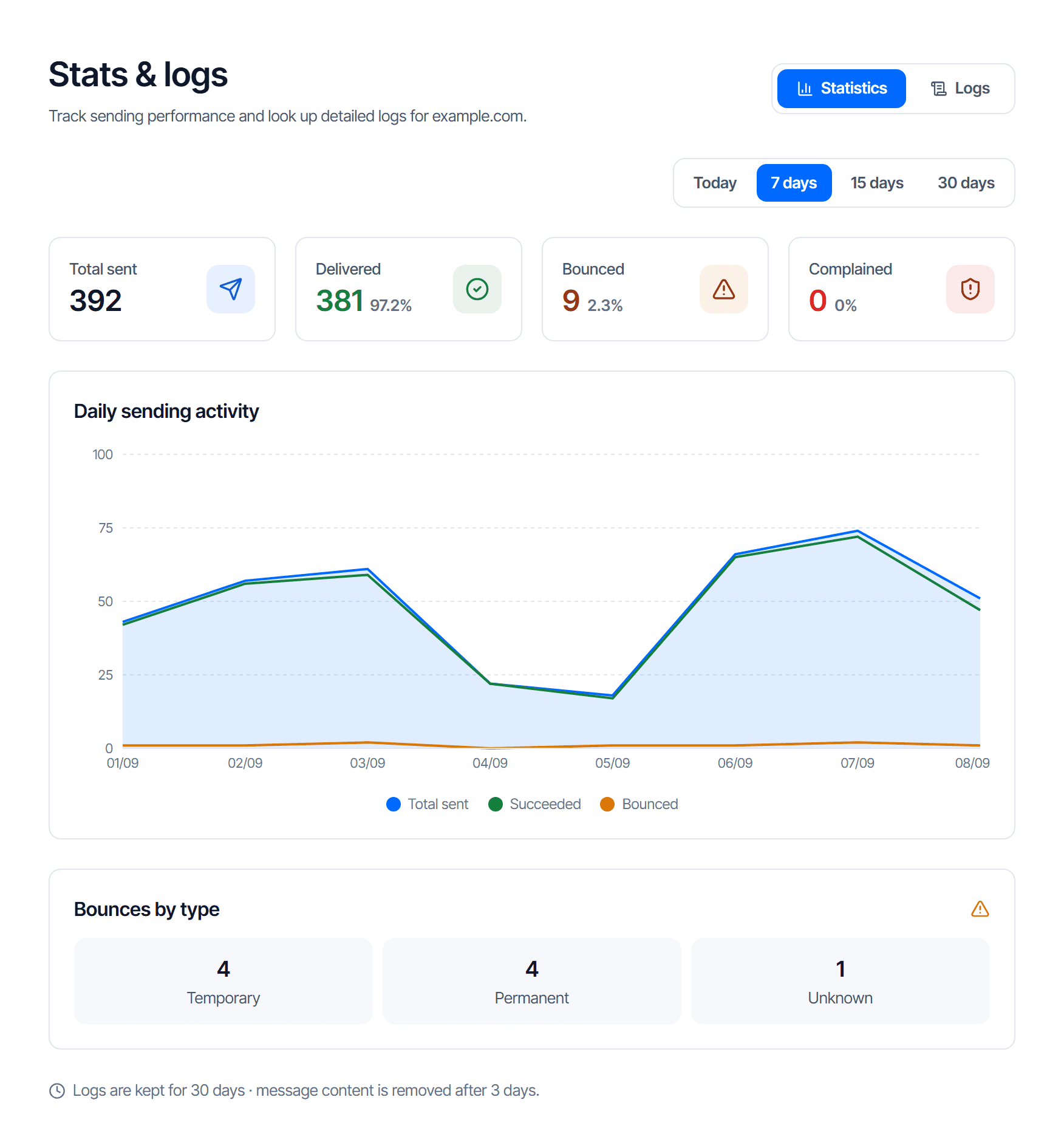
The screen opens on the Statistics tab, figures for the whole domain. The per-message table is on the Logs tab.
| The log | Means | What to do next |
|---|---|---|
| Has a row | the software went through the relay | Read that row's status, then go to Sends but does not arrive |
| Has no rows at all | the software is still sending the old way; the configuration has had no effect | Restart the software — many need it to load the new configuration. Also check whether it has several mail profiles and you edited the wrong one |
No rows is the most misdiagnosed case: people hunt for a fault inside the relay when the relay never received anything.
The send is rejected
| Symptom | Cause | Fix |
|---|---|---|
| Authentication rejected | The username field holds an email address. This is cause number one, and the error looks identical to a wrong password | The username must be exactly apikey |
| Authentication rejected | The password field holds your console login password | The password is the SMTP key, in the form cfr_... |
| Authentication rejected | The key has been revoked | The SMTP Keys table marks unusable keys Revoked; create a new one |
| Authentication rejected | The key is pinned to an IP and your server's IP changed — the key is still right but can no longer send | Check the IP whitelist column and update the IP |
| Authentication rejected | The key was truncated when stored | Check the length of the string your software actually sends |
| Sender address rejected | The domain in From is not active yet | Publish the relay sending domain records |
| Sender address rejected | The SMTP key is bound to a different domain; a key can only send from its own | Use the key bound to the domain in From |
| Sender address rejected | A typo in the domain in From | Correct From |
Cannot connect
You never reach the authentication stage — the software cannot open a connection.
| Cause | Fix |
|---|---|
| Ports blocked on your side; many hosting providers block outbound mail ports by default | Try both 587 and 465. If both fail, blocking is almost certain |
| Wrong encryption mode — mixing the pairs hangs the connection or drops it midway | Port 587 uses STARTTLS, port 465 uses implicit SSL/TLS |
| An internal firewall | Try from a different network to isolate it |
Sends but does not arrive
There is a row in the log, so the relay accepted it.
| Check, in order | If this is the cause |
|---|---|
| The recipient's junk folder — the most skipped step and the most often correct | Read on to Messages land in junk |
| The status in the log | Bounced means the receiver refused it — read the reason alongside it |
| The suppression list | The message is dropped before leaving the system |
| The sending domain's DNS records | Missing signing records let mail go out but get it filed as junk |
Messages land in junk
Not a technical fault, so no single button fixes it. The table is ordered by impact.
| Cause | Fix |
|---|---|
| Missing signing records — one missing row means no signature | Publish all the rows |
No _dmarc record, or one that contradicts your sending source | Add a _dmarc record that does not contradict your sending source |
| Still mailing hard-bounced addresses — a high bounce rate is a scored signal | Drop those addresses from your send list |
| Sending large files as direct attachments | Send a download link instead |
Message rejected as too large
The size limit block on the SMTP configuration page states the ceiling for one message, counting attachments after encoding — and the encoded figure is larger than the original file.
The fix is a download link, not compressing the file to fit.
When to contact support
Send these four; they are enough to pull up the exact record:
- The sending domain
- The approximate time, with the time zone
- The recipient address
- Your software's error message verbatim, or the status in Stats & logs
Do not include the SMTP key
Nobody needs it to look something up, and sending it means you have to revoke it.
Suppression list
Understand why an address is suppressed, which ones you may remove and which you may not, and why bulk-clearing the list is a bad idea.
Rejection code lookup
Look up the SMTP replies Email Relay sends to your mail server, tell temporary rejections from permanent ones, and know when you need to act.