Troubleshoot Email API
Go from symptom to cause in order, for calls that are rejected, calls that succeed but never arrive, and rejections for exceeding limits.
Every table starts from the symptom you see. Upper rows are more common than lower ones, so read down and stop at the first row that matches.
First: which of the two problems is it
This question splits everything else in two.
| The call returned | Means | Read |
|---|---|---|
| anything other than 202 | the message never entered the system | The call is rejected |
| 202 | the message is in the system, the problem is downstream | 202 but nothing arrives |
What each code means, and which are worth retrying: Email API error code reference.
The call is rejected
| Symptom | Cause | Fix |
|---|---|---|
| Authentication rejected | The header is missing the Bearer prefix — the most common cause | Send the full Authorization: Bearer <key> form |
| Authentication rejected | The key has been deleted | Compare the leading characters against the key preview column on the API keys page |
| Authentication rejected | The key was truncated when stored in an environment variable | Check the length of the string your application actually sends |
| Permission rejected | The domain in from is not active yet | Publish the sending domain records |
| Permission rejected | The key is a Sending Key bound to a different domain; it can only send from its own | Use the key bound to the domain in from |
| Permission rejected | A typo in the domain in from | Correct from |
| Rejected for bad data | A required field is missing, or there is a to but neither text nor html | Add the missing field |
| Rejected for bad data | The message exceeds the size ceiling | The ceiling is under Limits in Email API → Guide |
| Rejected for too many requests | You exceeded the allowed send rate | Slow down and spread bulk sends over time. Retrying immediately only makes it worse |
Your plan's limits are shown in the console.
202 but nothing arrives
202 means accepted for sending, not delivered.
| Check, in order | If this is the cause |
|---|---|
| The recipient's junk folder — the most skipped step and the most often correct | Read on to Messages land in junk |
| Stats & logs → Logs tab; only the status of that exact message is the truth | Bounced means the receiver refused it — the problem is the recipient address or your domain reputation |
| The suppression list | The message is dropped before leaving the system |
| The sending domain's DNS records | Missing signing records let mail go out but get it filed as junk |
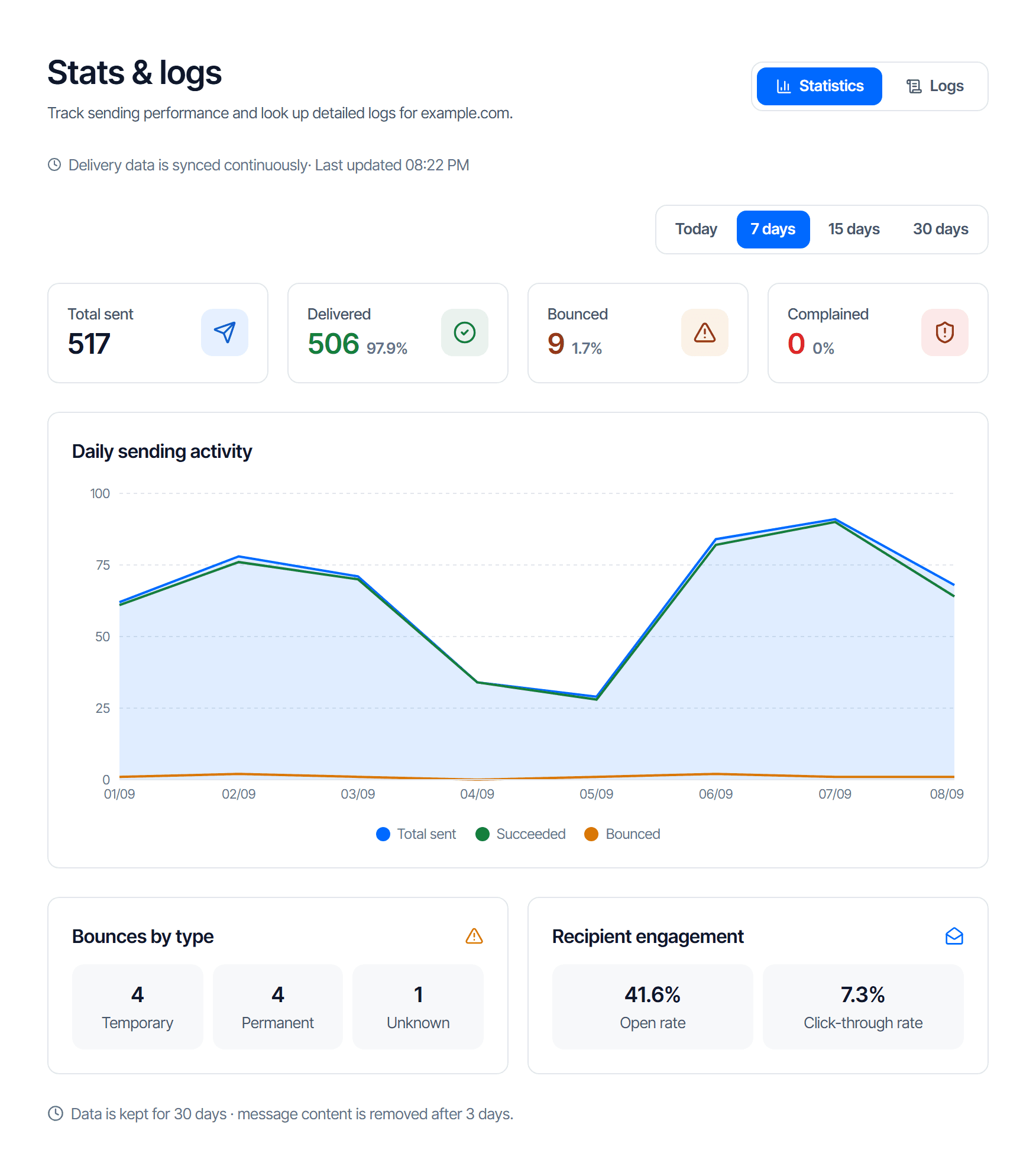
The screen opens on the Statistics tab — figures for the whole domain, not the message you are chasing:
- Click Logs at the top right for the per-message table
- Narrow it with the search box (recipient, subject or message ID) and the Status filter
- Click a row for its status, the bounce reason, and the open and click counts
How to read the Statistics blocks: Read the overview page.
Messages land in junk
Not a technical fault, so no single button fixes it. The table is ordered by impact.
| Cause | Fix |
|---|---|
| Missing signing records — one missing row of the three means no signature | Publish all three rows |
No _dmarc record, or one that contradicts your sending source | Add a _dmarc record that does not contradict your sending source |
| Still mailing people who reported you as spam — this damages the whole domain's reputation | Handle the email.complained event, see Receive mail events by webhook |
| Still mailing hard-bounced addresses — a high bounce rate is a scored signal | Drop those addresses from your send list |
The webhook receives nothing
| Check | Means |
|---|---|
| Is the endpoint paused | The webhook page has a button to switch it back on. Events that happen while it is paused are neither saved nor delivered later |
| Is the event you need among those selected at creation | If it is missing, that event is never delivered to you |
| The delivery history has rows showing Delivery error | Your endpoint returned an error, took longer than 10 seconds or could not be reached. Nothing is retried automatically — fix the endpoint, then click Replay |
| The delivery history has no rows at all | No such event has happened — send a message to an address that certainly does not exist to generate a bounce |
When to contact support
Send these four; they are enough to pull up the exact record:
- The sending domain
- The approximate time, with the time zone
- The recipient address
- The response code of the call, or the status shown in Stats & logs
Do not include the API key
Nobody needs it to look something up, and sending it means you have to revoke it.