Create your first mailbox
Create a mail account for a colleague, read the three quota figures on the Users page, and fix it when every size option reports over quota.
Once the domain is active you can create mailboxes. Each mailbox is a login account with its own storage allowance, which you set.
Before you create
- The domain is active. See Publish the four mail DNS records
- You still have account and storage quota left — see below
Three figures decide how many you can create
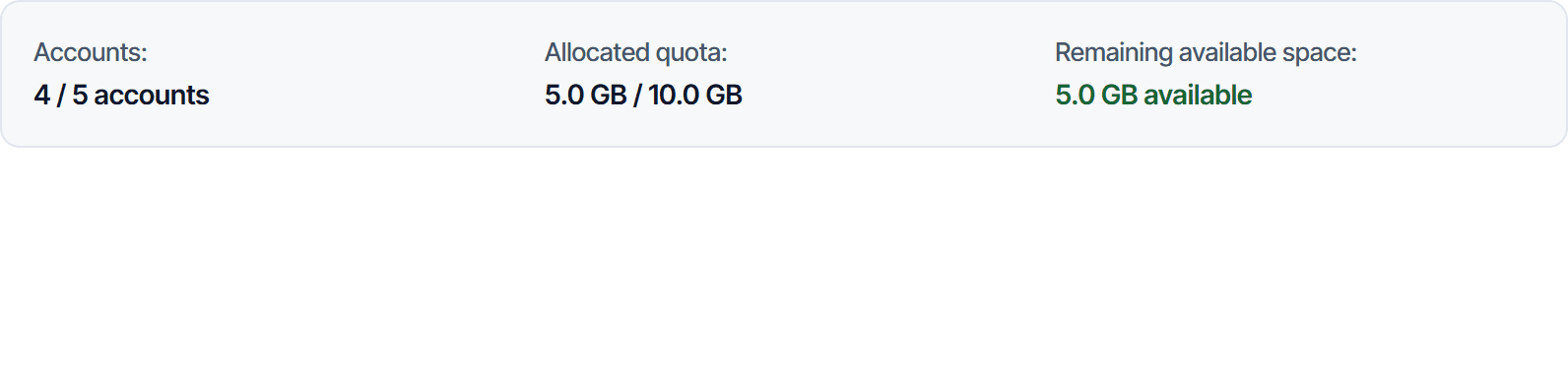
Go to Email Business → Users. The strip along the top shows three limits.
| Figure | What it means |
|---|---|
| Account count | Mailboxes created, against what your plan allows |
| Allocated quota | Total storage you have already handed out to mailboxes |
| Remaining available | The part not yet handed out. This is the deciding figure |
The third figure reaching zero means you have allocated everything, even if no mailbox has actually filled up. Storage is allocated at creation, not as it gets used.
Create the mailbox
Fill in the account details
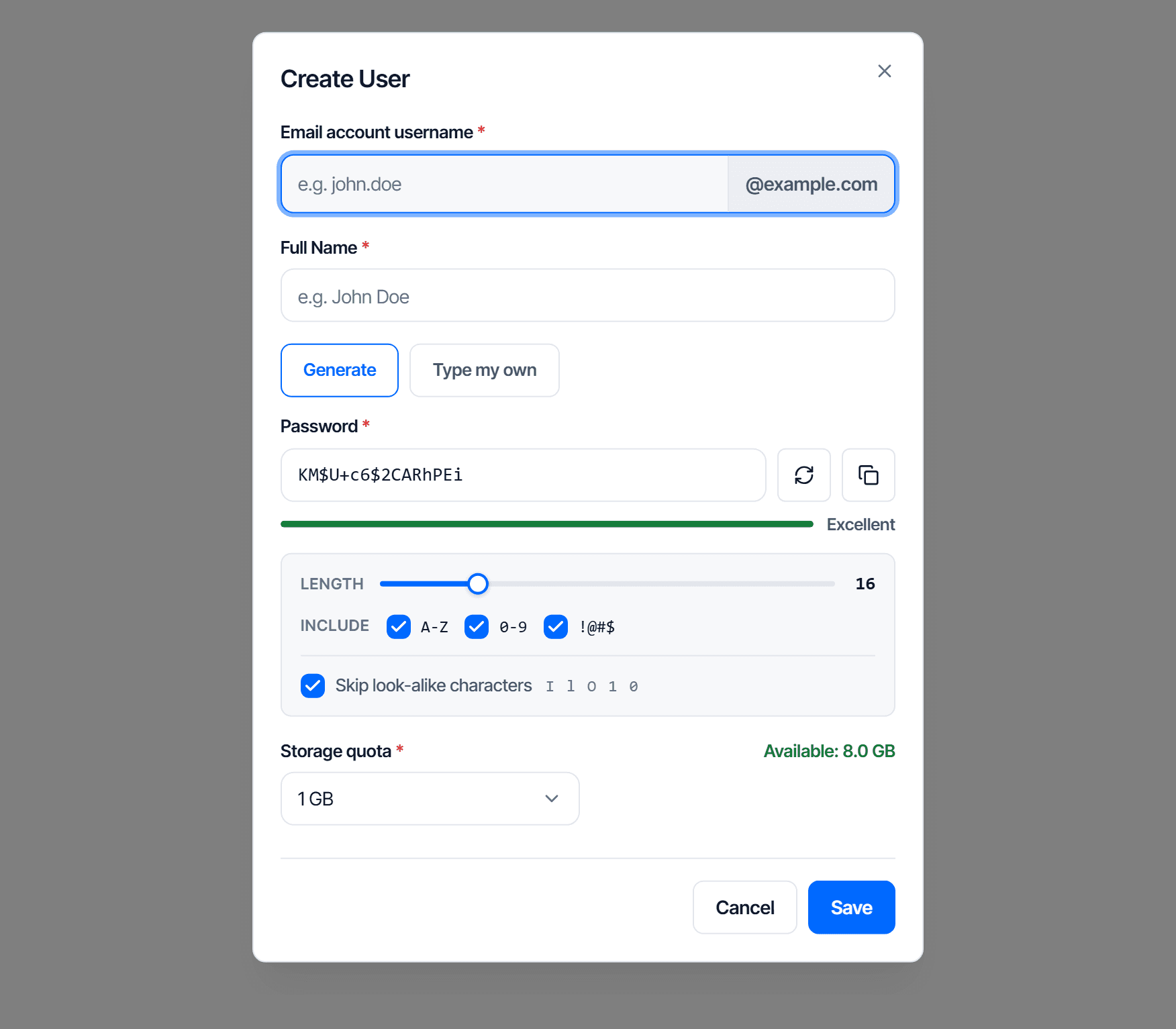
Click Create user and fill in:
| Field | Note |
|---|---|
| Email account name | Only the part before @. The domain is fixed |
| Full name | Shown in the address book and as the sender name |
| Password | At least 8 characters |
| Confirm password | Type it again |
| Storage | Pick 512 MB, 1 GB, 2 GB, 5 GB, or Custom to enter a size in MB |
Click Save. The mailbox works immediately, with no waiting.
Creating many accounts at once
To open mailboxes for a whole department, use Import from Excel instead of one at a time.
Check your work
In the console
- The new account appears in the table with status Active
- The account count goes up by one
- Remaining available storage drops by exactly the size you chose
Send a message round trip
Sign in to the new mailbox with the full address and the password you set. Send a message to an outside address and receive one back from it. This is the first time you confirm both directions work.
When every size option reports over quota
The dialog shows (Over available) next to every option when remaining storage is not enough. Three ways to fix it, in the order worth trying:
- Reduce the allowance of a mailbox that has too much. Open that account's actions and set a lower size. The difference returns to the available pool immediately.
- Delete a mailbox nobody uses. Both its storage and its account slot come back.
- Upgrade your plan if neither of the above leaves any room.
Choosing Custom and entering a smaller number also works, as long as it fits the available pool.